Create a default name and set of initials for this device. You can also specify an email address, if desired.
Name or Handle:
3-Character Abbreviation:
Email: (optional)
Your Initials:
Your score:
Score Editor and Score Entry Updates
5/31/2026
This update brings a brand-new Score Editor feature to all existing scores, and a slight redesign of the Score Entry dialog.
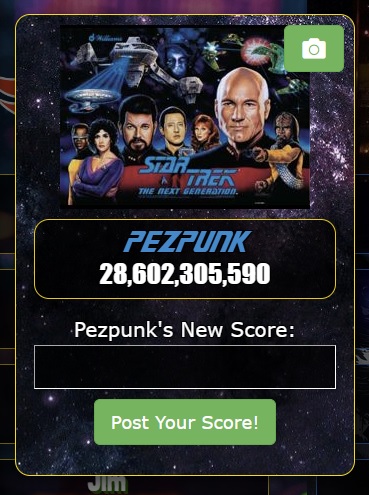
First, the score entry dialog now shows a player's best score when that player is clicked on for score entry.
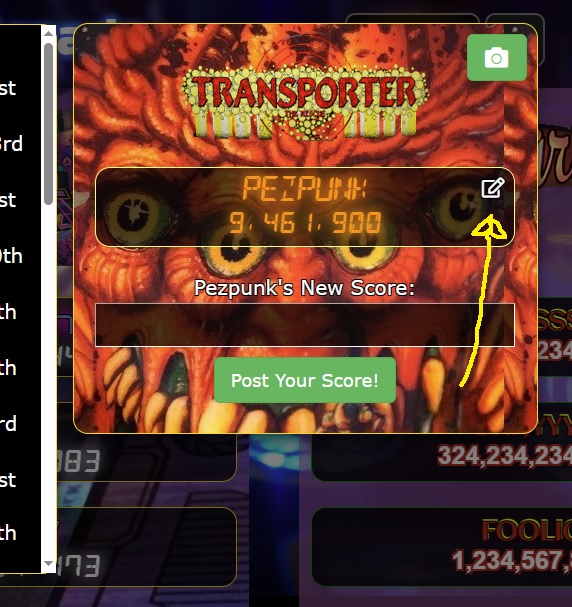
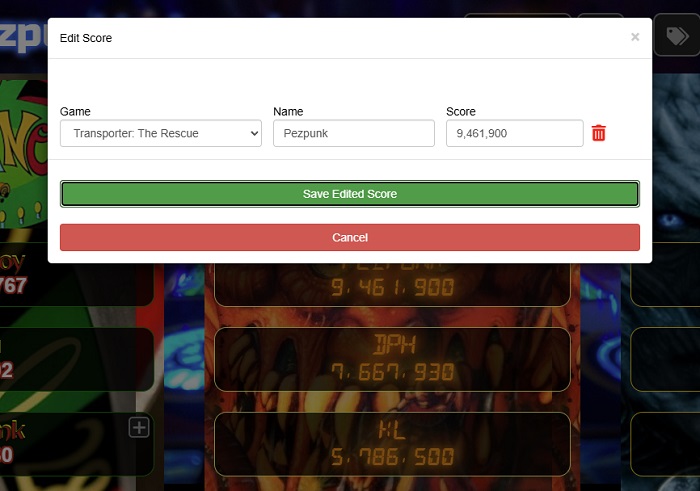
Second, if you're logged in as the gameroom owner (or if you have "Allow Public Users to Edit and Delete Scores" enabled), then you can now see an "edit" button next to each score. This launches the Score Editor, where you can edit the game, name, and score of that entry. (The score's image, if there is one, will be retained).
Other fixes since the last update include:
Fixed numeric on-screen keyboards for time-based and win-loss scoring formats.
Fixed an issue where scores were being deleted when the Win-Loss format was used in conjunction with the Admin Approval feature.
Fixed a rare situation where images were being cached, causing stale game logos in the gameroom.
As always, please let me know if you have any questions or issues! You can reach me at pezpunk@iScored.info.
Thank you for your support!
-PEZ
iScored Demo
Here is a typical iScored game room (this one is for the current
high scores for the Monday Night League at CarPool Bar in
Arlington, Virginia -- stop by some time!)
This gameroom is operating in "Public Mode", meaning you can
view scores, and you can tap on names to see a list of all the high
scores for that person, but you cannot enter new scores or modify
existing ones.
The screen automatically scrolls side to side if you don't do
anything for a few seconds.
You can make it full-screen by hitting F11 on a Mac or PC (or
using the fullscreen button on your browser). By the way, there are
easy ways to launch it in fullscreen mode automatically, and it's
designed to be touchscreen-compatible, if you're thinking of
setting it up as a kiosk in your game room.